The welcome email:
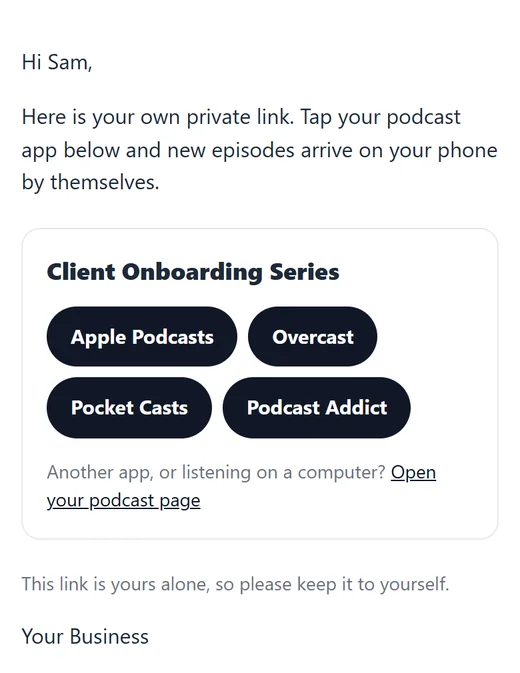
Every new listener gets a welcome email with:
- Their own private link.
- One-tap buttons for Apple Podcasts, Overcast, Pocket Casts and Podcast Addict, so the show lands in their app with one tap on their phone.
- A link to their own listening page, for another app or for listening on a computer.
On the Settings tab you can switch the welcome email off, and write your own subject line and opening lines. Left blank, the subject is Your private podcast link.
The listener’s page:
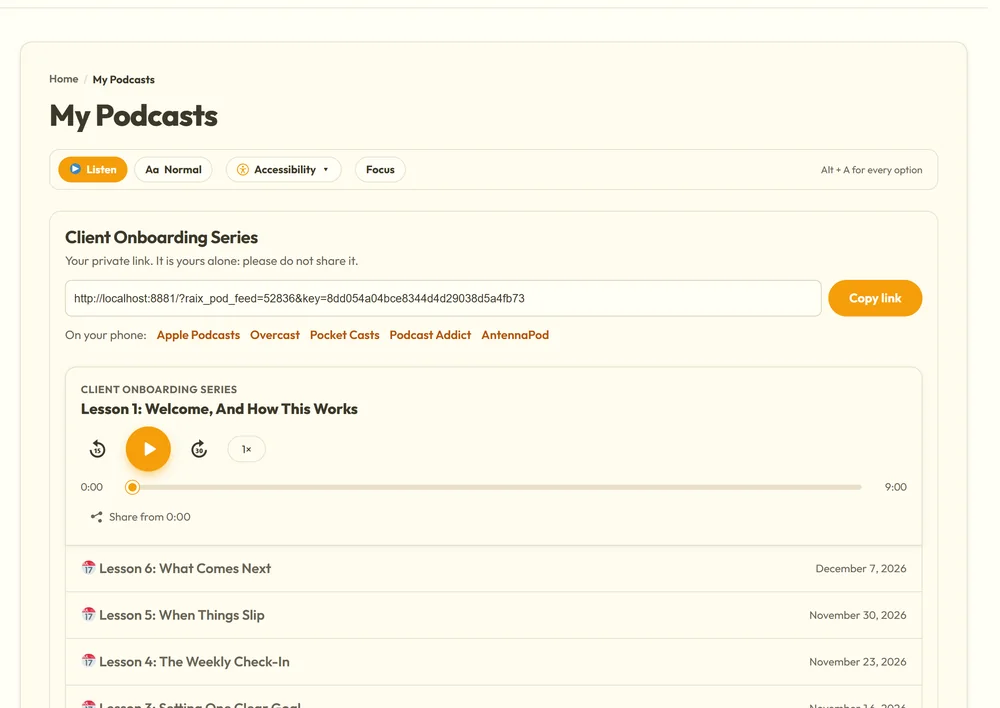
The link in the email opens the listener’s own page on your site. It shows each show they have, their private link with a Copy button, the app buttons, and every episode that is open to them, playing right there in the browser. It needs the My Podcasts page, which you make with one button on the Settings tab.
If a listener’s link gets out:
The listener’s page has Think your private link got out? Make me a new link. Pressing it gives them a new link straight away, emails it to them, and the old one stops working everywhere. They then add the new link to their podcast app again. You can do the same for them from the Listeners screen with New link.
Spotify:
Spotify does not accept private feeds. Listeners with a private link use Apple Podcasts, Overcast, Pocket Casts, Podcast Addict or most other podcast apps, or listen on your site.
Email delivery:
Welcome emails go out through your site’s email. With ResultsAiX Mailer installed they go out through the Mailer and its sending service. For the best delivery, set up a sending service in the Mailer, and ask new listeners to check Spam and add you to their contacts. The signup form’s thank-you message already says so.