Install it like any WordPress plugin:
- Download resultsaix-podcasts.zip from the ResultsAiX Podcasts page in the members area, linked in your purchase email.
- In WordPress go to Plugins, Add New, Upload Plugin, choose the zip and press Install Now.
- Press Activate.
Activate your licence:
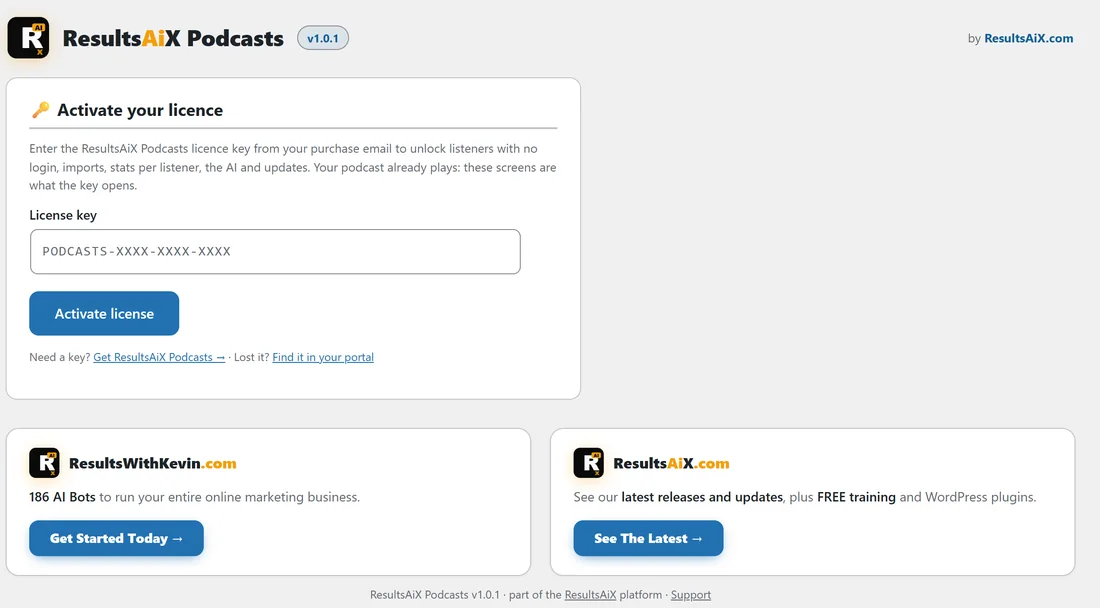
Until a licence key is saved, the Podcasts menu shows one item, Activate. Open it and paste your key. Your key is in your purchase email and in the customer portal at resultswithkevin.com/portal/. A ResultsAiX Bundle key works too, because ResultsAiX Podcasts is part of the Bundle.
Once the key is active, the full menu appears: Episodes, Add Episode, Shows, Dashboard, Listeners, Stats and Settings. The licence card sits at the top of the Settings tab from then on, with the key, the sites it is used on, and buttons to refresh it or move it to another site.
What the licence switches on:
Your shows, episodes, feeds and players keep working for your listeners at all times. The licence is what opens the Listeners screen, the AI, CSV imports and the plugin’s updates, so keep it active on every site you run a podcast on.
How many sites?
A ResultsAiX Podcasts licence covers 3 websites. With the ResultsAiX Bundle, the Podcasts plugin also covers 3 websites, counted on its own, so it can be on different sites to your other Bundle plugins.
Updates:
New versions arrive in Dashboard, Updates and on the Plugins screen like any other plugin, as long as the licence is active.