Add an episode:
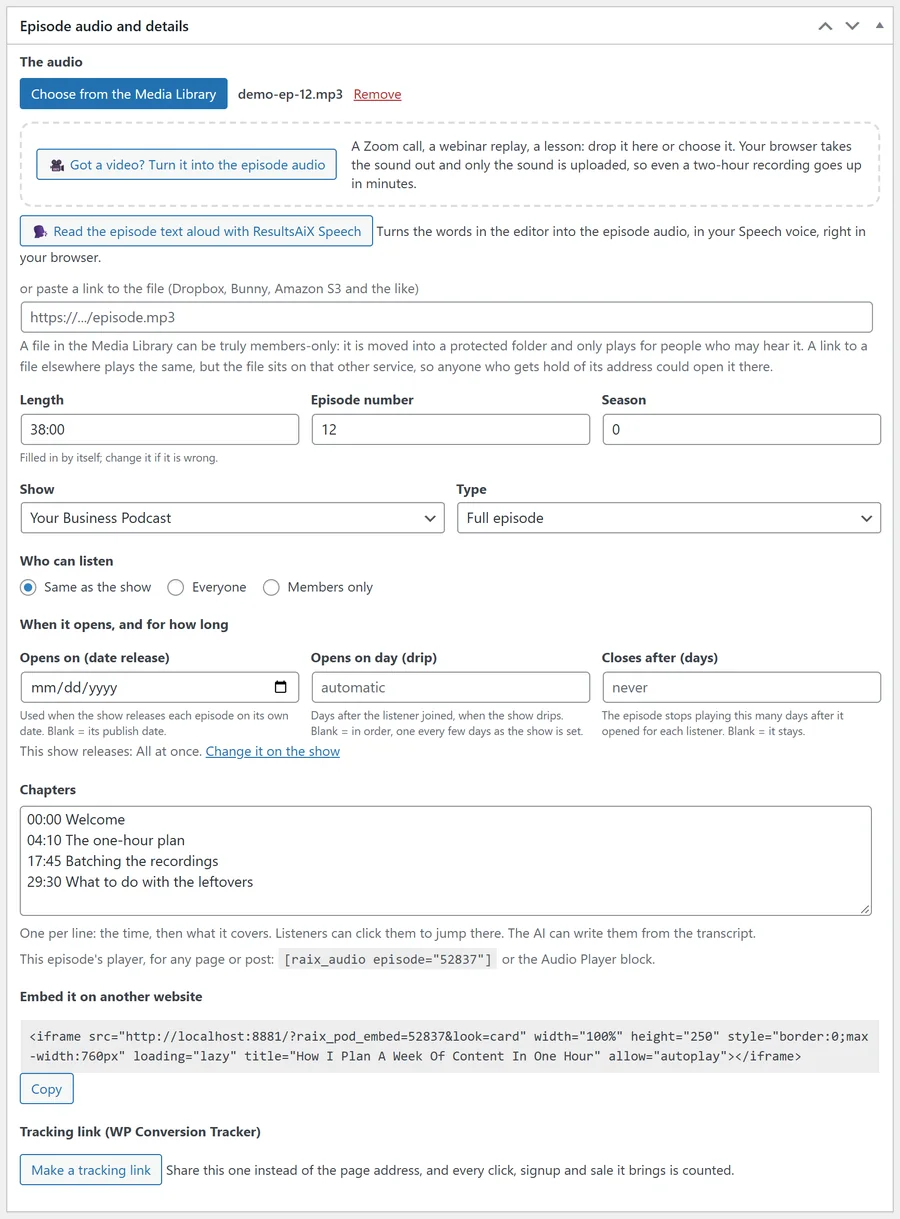
- Go to Podcasts, Add Episode and give it a title.
- In Episode audio and details, choose the audio from your Media Library, or paste a link to a file you keep elsewhere, such as Dropbox, Bunny or Amazon S3. The length is read from the file by itself.
- Got a video instead of audio? Press Got a video? Turn it into the episode audio. See the article on video to audio.
- Pick its Show (or No show, for a single episode), and set the Episode number, Season and Type (Full episode, Trailer or Bonus) if you use them.
- Write the show notes in the editor and a short summary in the Excerpt box.
- Publish.
Who can listen to one episode:
Who can listen on an episode is Same as the show unless you change it. You can make a single episode public on a members-only show, or members only on a public show. With ResultsAiX Membership you can tick exactly which levels can listen.
Chapters and transcript:
Add chapters one a line, a time and what it covers, for example 12:40 How we found our first customers. Paste a transcript, or let the AI make one. Listeners can jump to any chapter, and every time in the transcript is a link into the audio.
The episode page:
Under any theme, an episode page gets the player at the top and the transcript underneath, folded away until clicked. Both can be switched off on the Settings tab if you would rather place the player yourself with the block.
Members-only audio files:
A members-only episode’s audio file from your Media Library is moved into a protected folder. It only ever plays through your site, which checks the listener every time, and its real address is never shown. A link to a file on another service also plays for members only, but because the file lives on that service, it cannot be locked away in the same way.
Opens on and closes after:
Under When it opens, and for how long, each episode can also have Opens on (date release), Opens on day (drip) and Closes after (days). See the article on drip release.
Read it aloud with ResultsAiX Speech:
With ResultsAiX Speech installed, the episode screen also has Read the episode text aloud with ResultsAiX Speech, which turns the words in the editor into the episode audio in your Speech voice.