Every episode has a Transcript and AI box with three buttons. They use your own AI key, nothing runs until you press a button, and every call is listed with its cost.
Your AI key:
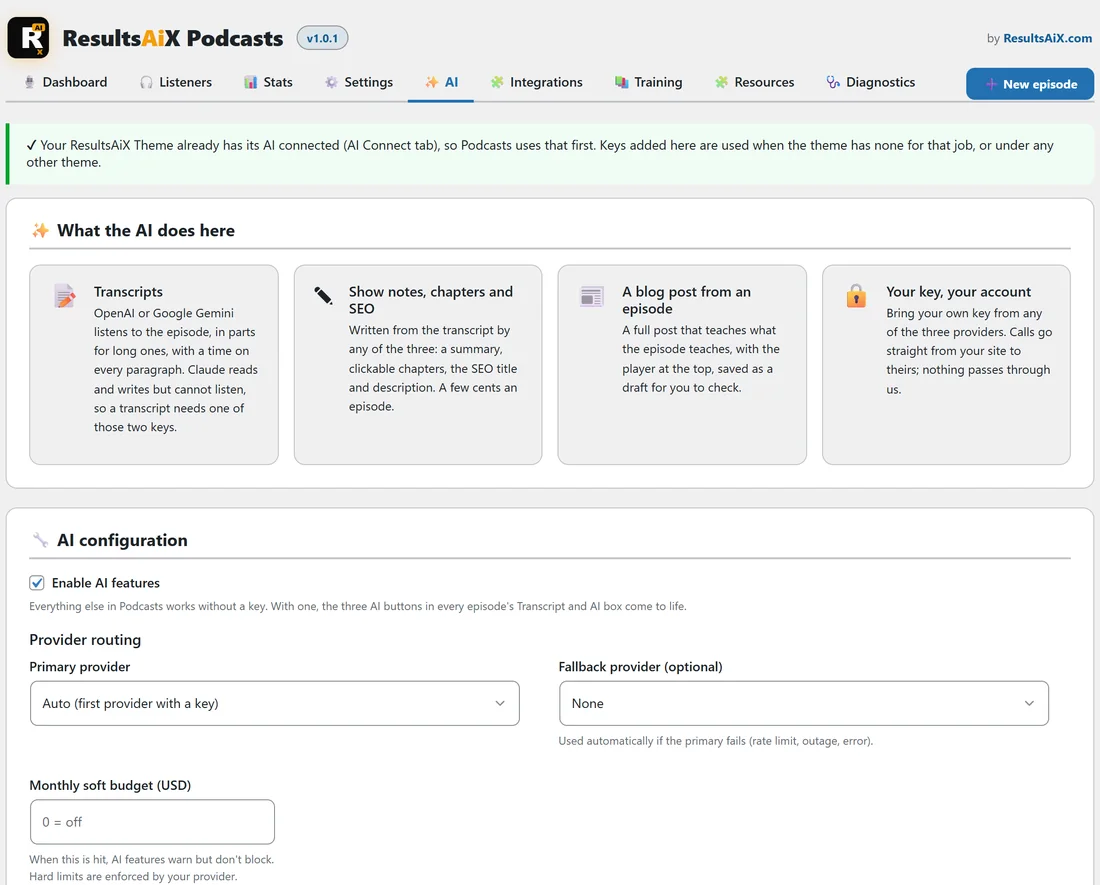
- Under the ResultsAiX Theme with its AI connected, Podcasts uses the theme’s keys.
- Anywhere else, add a key on the plugin’s AI tab. Keys added there are also used when the theme has none for that job.
Button 1, Make the transcript:
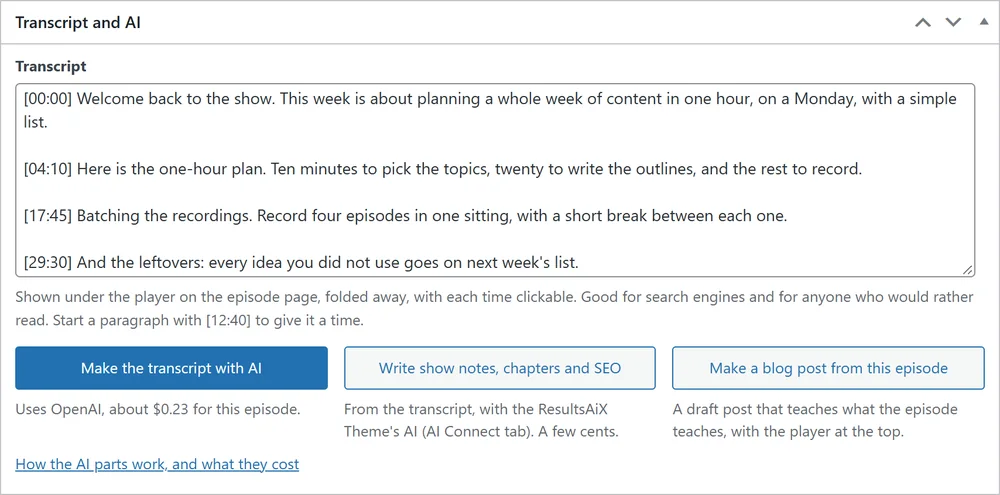
A transcript needs an OpenAI or a Google Gemini key, because Claude cannot listen to audio. Before it starts, a popup says which AI will listen, for how many minutes, in how many parts, and about what it costs on your own key. Press Make it. Long episodes are sent in parts, each its own short request, so no host time limit is ever reached. Keep the tab open until it says Transcript ready. Times in the transcript run from the start of the whole episode. With both keys saved, Which AI makes transcripts on the Settings tab chooses; the standard is Gemini first. Gemini costs about 7 cents for an hour of audio, OpenAI about 36 cents. Long episodes need to be MP3 or M4A to be sent in parts. A video turned into audio by the plugin is already one of those. Only have a Claude key? Paste the transcript in yourself, and the next two buttons still work.
Button 2, Write show notes, chapters and SEO:
From the transcript, with your writing AI (Claude, OpenAI or Gemini). It writes the show notes, a short summary, the chapters and the SEO title and description, and saves them. It costs a few cents. Read them through before you publish.
Button 3, Make a blog post from this episode:
Writes a full blog post that teaches what the episode teaches, with the episode’s player at the top. It is saved as a draft, and nothing is published until you publish it.